Step-by-step guide
How to activate your EA license on MetaTrader 5
Finversa Expert Advisors (e.g. Smartcore) talk to the dashboard to validate your license. Without **WebRequest** enabled, the EA cannot connect and stays blocked.
Yes — WebRequest is required
You must allow MT5 to reach http://localhost:3000. This is a MetaTrader security requirement: without it, license validation fails with error 4014.
Step-by-step guide
MetaTrader 5 · Finversa · EA license
- 1
Why WebRequest is needed
The EA sends a heartbeat to Finversa to verify your Serial Key and bind it to your MT5 account. That uses WebRequest — enable it once per terminal.
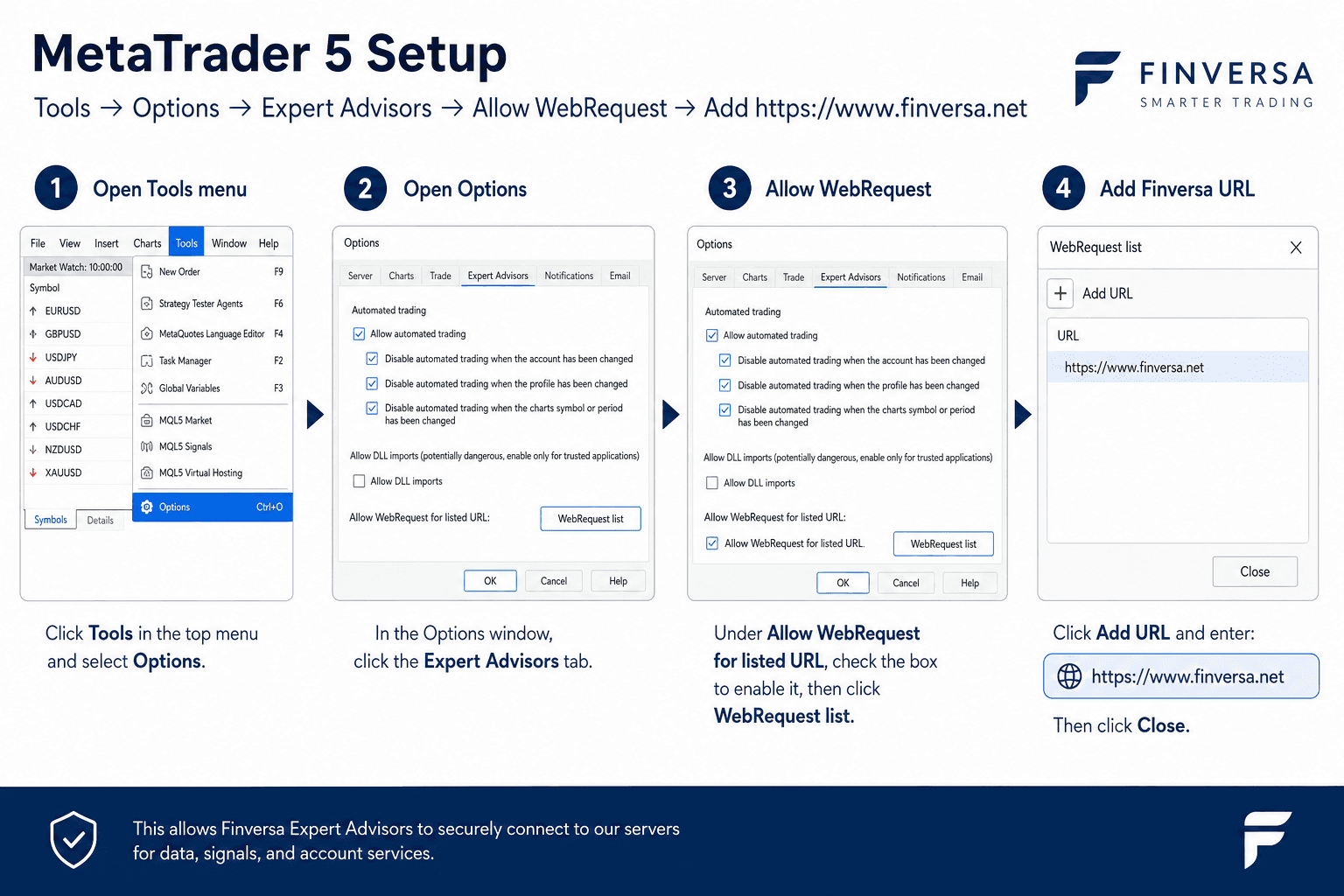
Quick path: Tools → Options → Expert Advisors → WebRequest. - 2
Enable WebRequest in MetaTrader 5
In MT5 open Tools → Options. Go to the Expert Advisors tab:
- Check Allow algorithmic trading
- Check Allow WebRequest for listed URL
- Click Add new URL and enter http://localhost:3000 (domain only, no /api path)
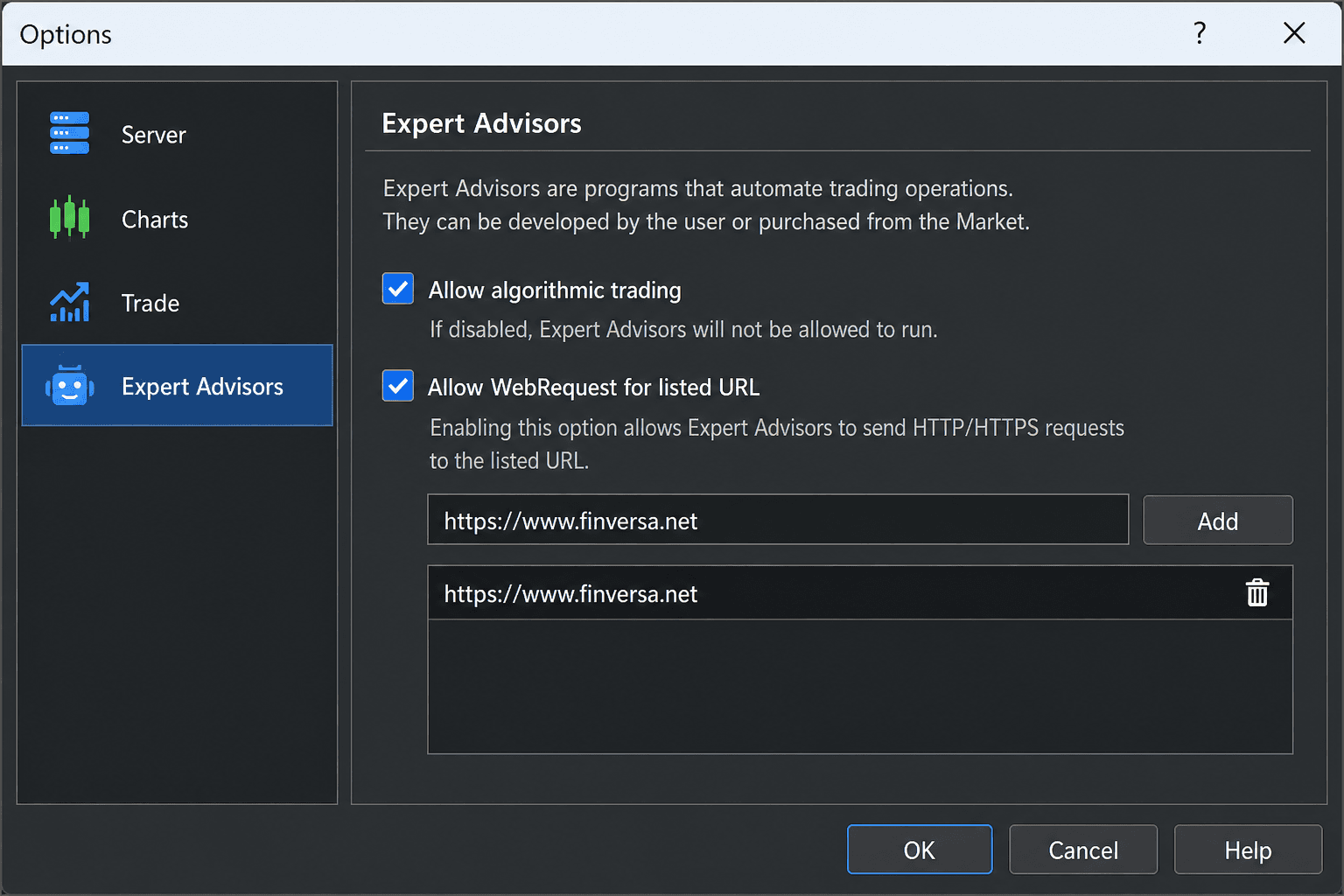
Example: http://localhost:3000 in the WebRequest list. - 3
Download the MT5 preset
Sign in to Finversa → Dashboard → Licenses and click Download MT5 preset. The `.set` file already includes your Serial Key — no manual copy needed. Sign in to dashboard
- 4
Load the preset in the Expert Advisor
Drag the EA onto a chart → right-click → Properties → Load and select the downloaded `.set` file. Or paste your Serial Key manually in the Finversa group. Site URL and Track Record are handled by the EA — do not edit them.
- InpFinversaSerialKey — pre-filled in the downloaded preset
- No URL to paste in the EA — the Finversa endpoint is hardcoded
- Track Record syncs automatically after license validation (no token to copy)
- Enable WebRequest with Finversa base URL http://localhost:3000 (MT5 allowlist only, see step 2)
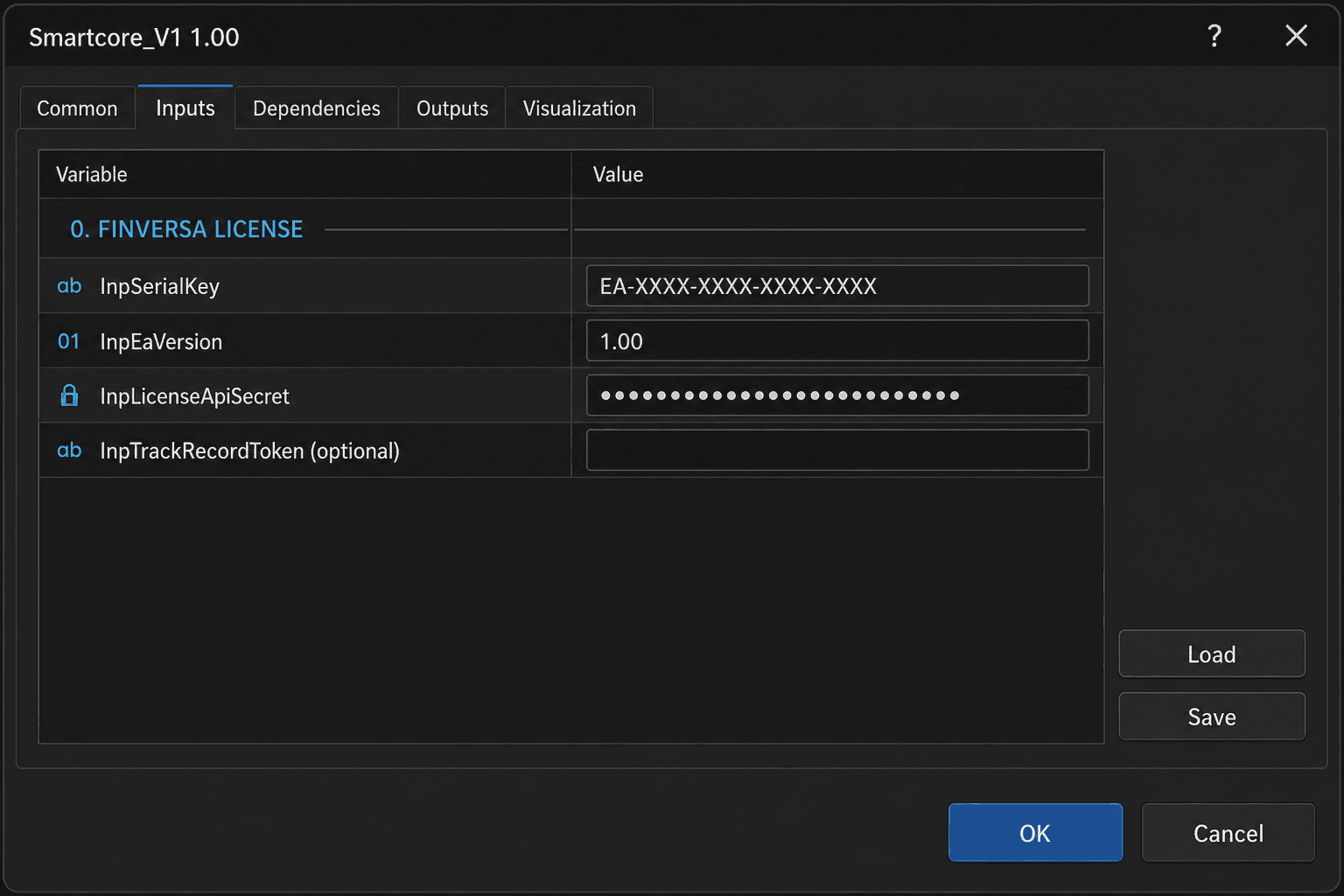
Example: Serial Key input in SmartCore EA. - 5
Verify it works
Open the Experts tab (Journal). Expected: license VALID and Track Record sync. On the dashboard, Licenses will show an updated last ping; Portfolio/Track Record equity and stats will refresh.
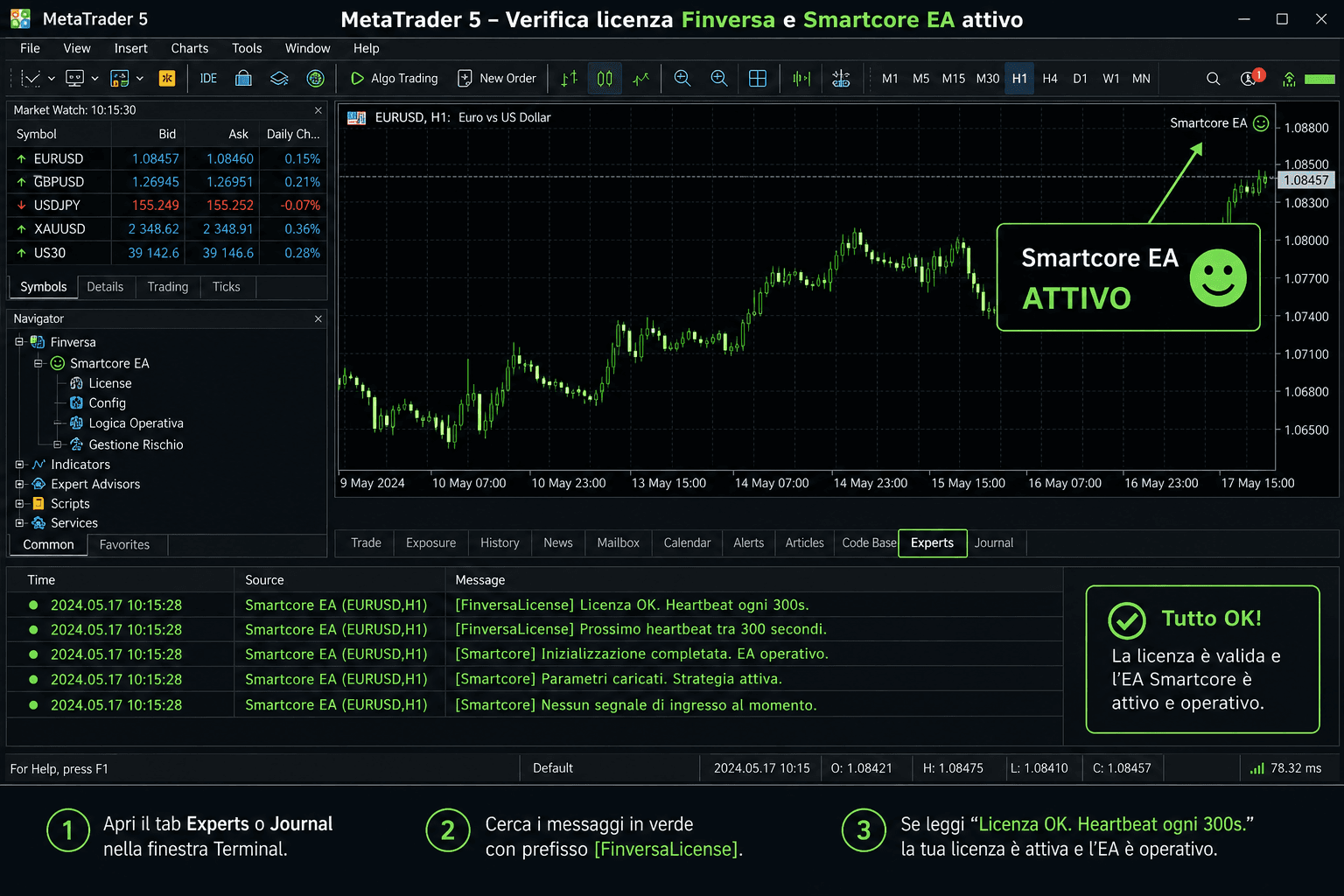
Example: active license in the MT5 journal.